Guides
From Shopify order to verified shipment
A practical walkthrough of importing an order, scanning goods against it, and notifying a connected system after completion.
An order does not become fulfillment data simply because it exists in Shopify. Someone still needs to connect the expected items to what was physically read, review exceptions, and pass the completed result to the next system.
Three connected steps
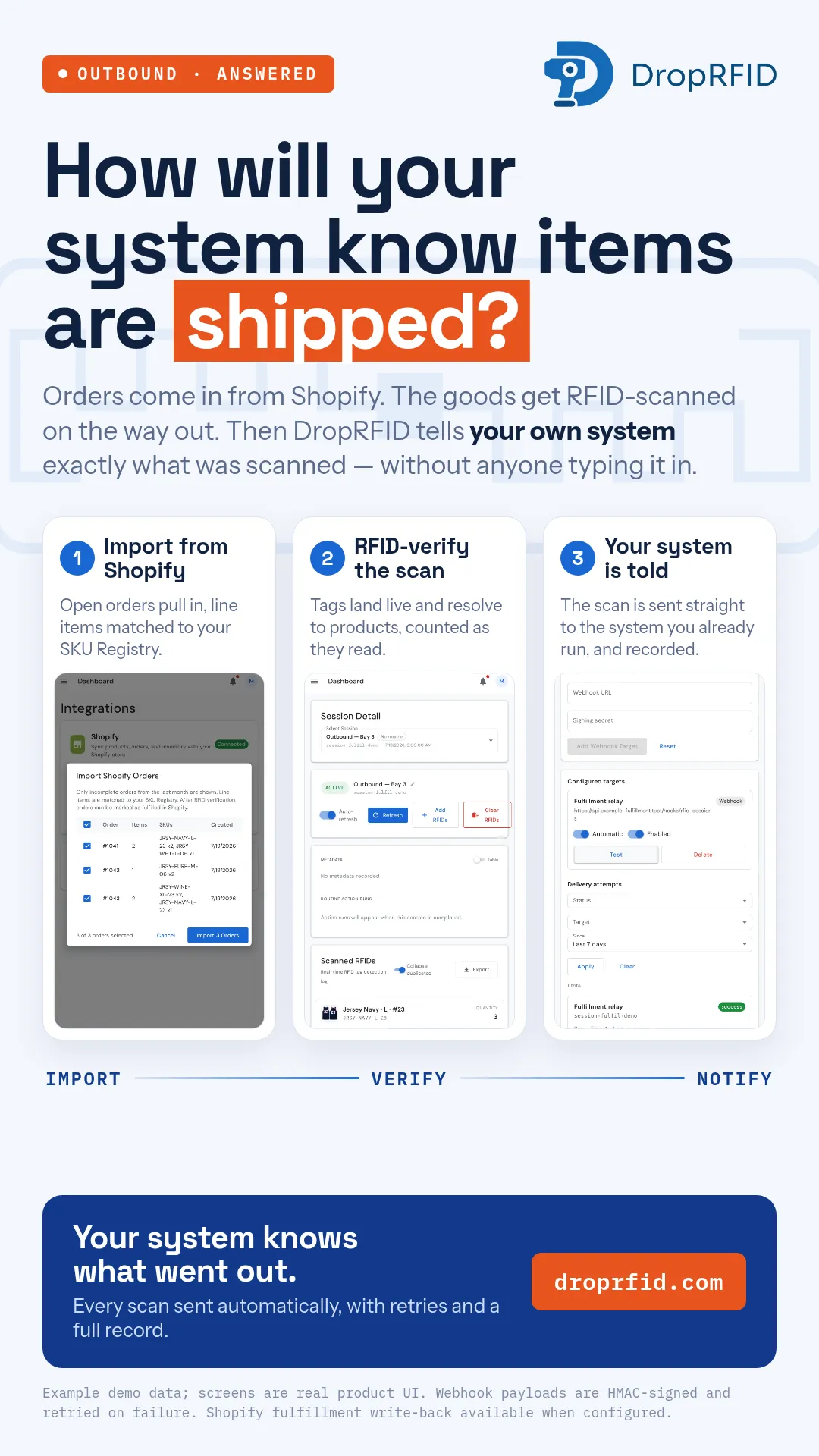
The workflow in this example has one clear spine: Shopify order → DropRFID → your system.
First, a connected Shopify store can bring open orders into DropRFID. The imported lines are matched to the SKU Registry, so the receiving or shipping team has an expected list rather than a blank scan session.
Second, a handheld scanner reads the RFID tags on the goods. The order view compares observed tags with expected quantities and products. A dashboard view can show the same session as reads resolve to SKU records. The sample footage uses generic jersey names and synthetic order data; it is a product demonstration, not a customer shipment.
Third, a configured webhook can notify a downstream system after the session has been completed. That event is useful for reconciliation or follow-up work, while the immediate scan decision stays in the application and its configured workflow.
Why the order context matters
RFID reads are most useful when they answer a business question. “A tag was seen” is less actionable than “this expected line was observed, this line remains missing, and this unexpected identity needs review.” An order gives the scan a comparison set.
The SKU Registry supplies the translation layer. It connects tag identities to products and variants, while the order supplies expected quantities. Teams can then inspect the result before marking a process complete.
Webhook, not a synchronous controller
DropRFID supports signed session.completed webhooks when configured. Delivery can be retried, so a receiver should be idempotent and treat the webhook as an after-completion event. Do not make a conveyor, acceptance gate, or other immediate decision wait for an asynchronous delivery.
For systems that need a decision during the scan, use the application’s configured comparison path or a purpose-built integration service. Use the webhook to tell the downstream system what completed and what the session contained.
Start with one traceable flow
Choose one order type, define the SKU mappings, test tag placement in the real read zone, and decide how exceptions will be reviewed. Then add the connected system once the expected-versus-observed workflow is clear.
The campaign’s quantities and product names are example demo data. They do not represent a measured shipping result or customer outcome. Explore the documentation or contact the DropRFID team to discuss a workflow.
Before expanding, agree on the completion rule: which identities count, who reviews exceptions, and what record is retained. That governance step keeps the scan result meaningful when the same workflow is used by different operators or connected systems.