Field notes
What an RFID checkout flow reveals
An independent retail-technology observation explains the path from tagged merchandise to product records, then connects it to DropRFID workflows.
Pick the clothes, place them in the checkout area, and watch the products appear. That is the customer-facing side of item-level RFID: tagged merchandise can be detected without aiming a barcode scanner at every item individually, then matched to product records for review.
This campaign is an independent technology observation. It must not be read as a GU case study or as evidence that DropRFID supplies, operates, or integrates with GU’s checkout system. GU, UNIQLO, Fast Retailing, Zara, H&M, Inditex, and H&M Group are not affiliated with, connected to, or endorsing DropRFID.
The basic flow
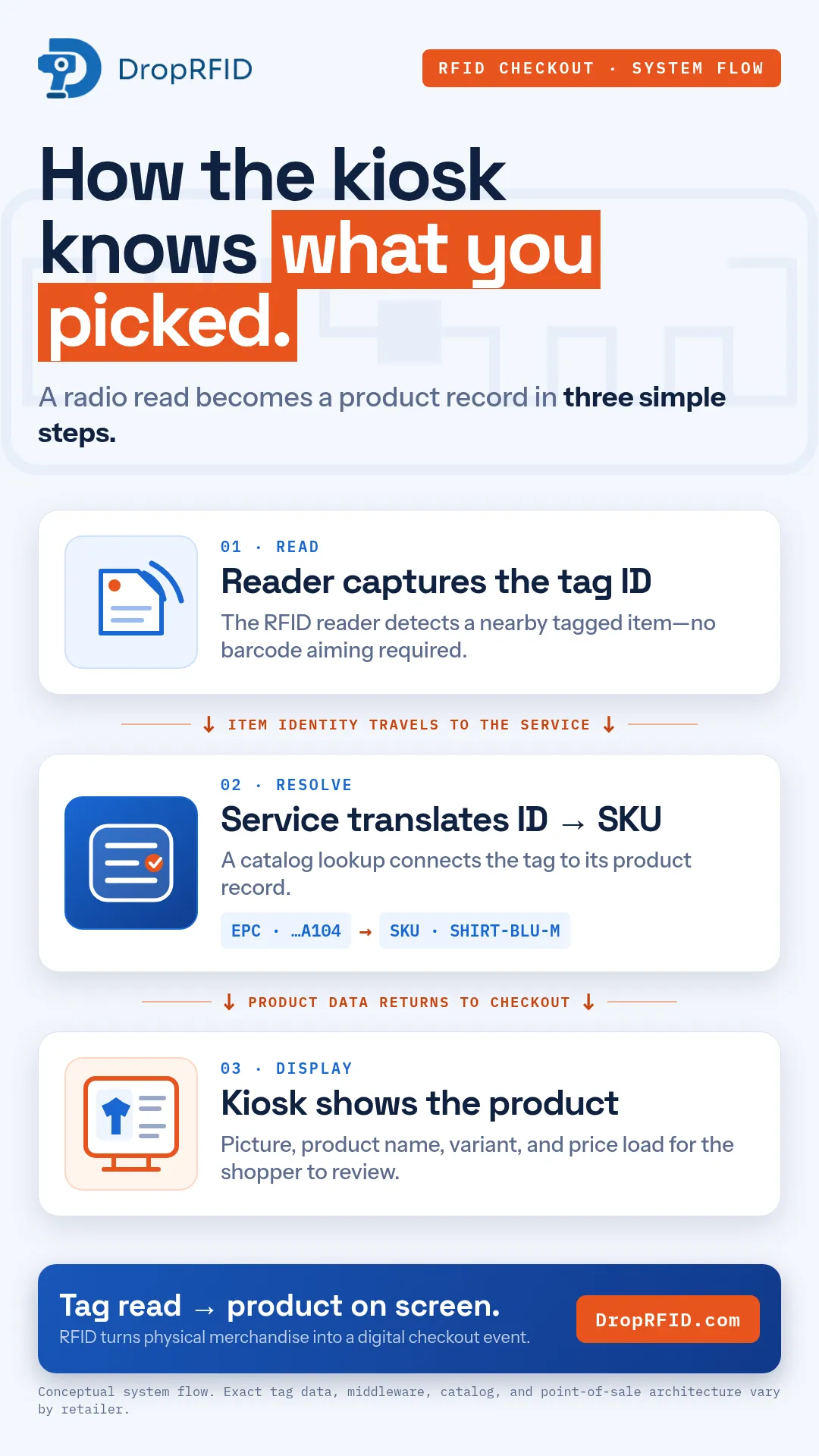
An RFID checkout architecture typically has several steps:
- A reader captures the identifier from each tagged item in its configured zone.
- A service resolves that identifier to a SKU and catalog record.
- The kiosk or checkout application shows product details for review.
The tag contains a small chip and antenna that carry the item’s identity. Exact tag encoding, middleware, catalog, reader placement, and point-of-sale architecture vary by retailer. The footage should be described only by what it visibly demonstrates; avoid claims about instant response, perfect detection, or a fixed number of simultaneous reads without measurements.
Where DropRFID fits
Checkout is one visible example of item-level identification. DropRFID helps teams put the same principle to work in inventory scans, order verification, and connected operations. Its shipped workflow includes SKU registry and RFID-to-SKU mapping, scan-session capture and review, order creation and comparison, Shopify paths, and documented REST, GraphQL, and signed webhook integration surfaces.
That does not make DropRFID a consumer self-checkout POS or a replacement for every warehouse, ERP, or store system. Integrations are configuration-dependent. A webhook is an after-completion notification path, and the public API does not ingest live RFID reads or complete sessions.
An honest next step
If you are evaluating an RFID rollout, begin with the physical task and the expected product data. Confirm the tags, reader zone, material mix, privacy requirements, and review process. Then test the workflow in the intended environment and scope any custom hardware or integration work separately.
For a self-serve starting point, explore DropRFID’s documentation and 14-day trial at DropRFID.com. Custom projects can be discussed with the team; final scope and pricing belong in an approved proposal.
The checkout example also has a privacy and release dimension. Commercial footage should avoid faces, payment details, receipts, account screens, and other shoppers’ information. A close-up of an unpaid item or store fixture needs permission, and an unclear tag should be described as an item tag rather than a visible antenna or EPC. The educational sequence is strongest when the real checkout observation and the conceptual DropRFID workflow are clearly separated. That lets viewers understand the technology without mistaking a retail scene for a product integration claim.