Guides
Create an API key and keep it server-side
A practical guide to creating a DropRFID organization API key for documented server-side API requests.
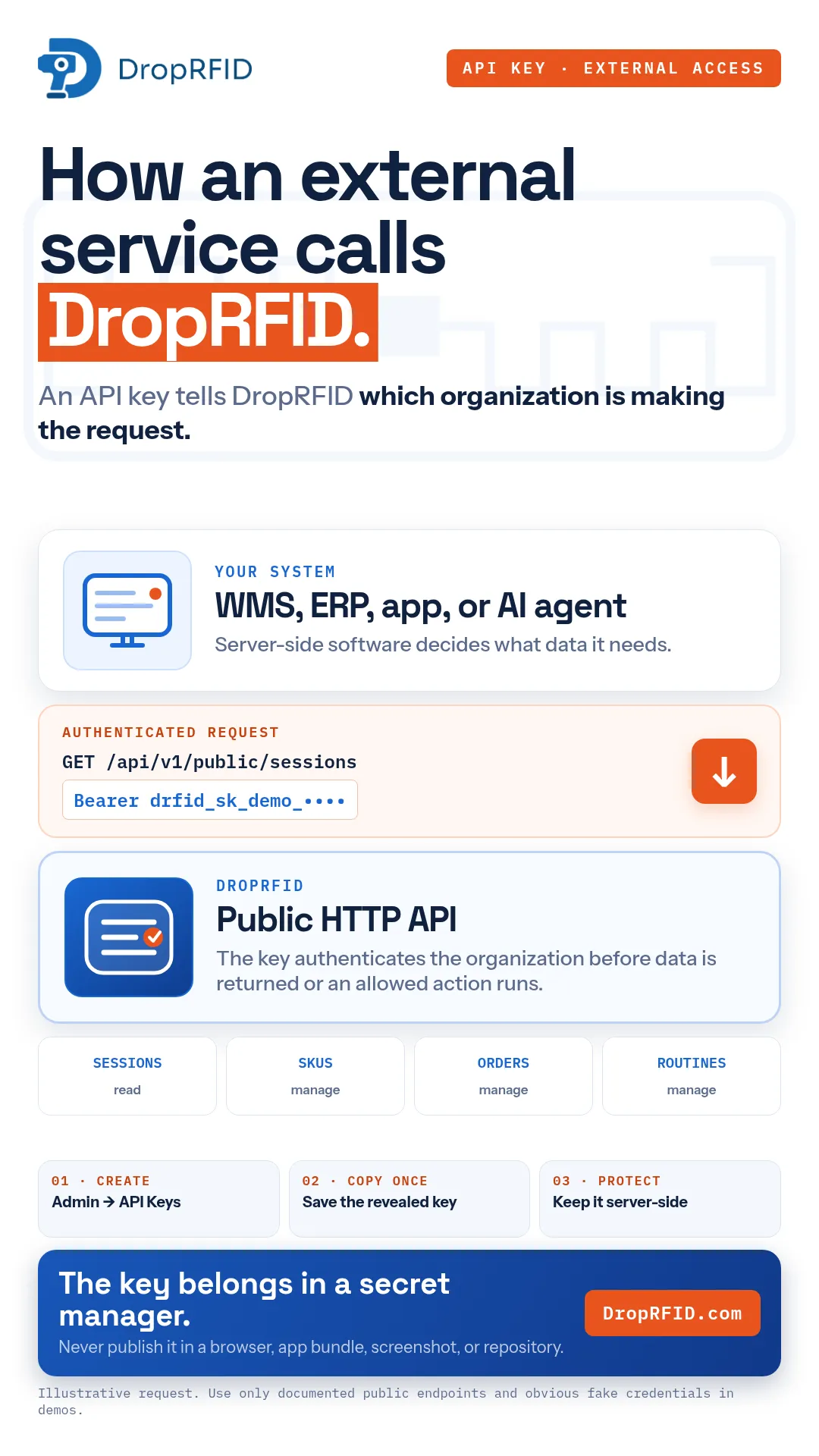
An API key tells DropRFID which organization is making a request. It is intended for server-side software that calls documented public HTTP endpoints—not for browser code, a mobile app bundle, a screenshot, or source control.
Create the key
In the DropRFID dashboard, open Admin → API Keys and create a key with a clear name describing the integration. The name should help your team recognize its purpose later, such as an inventory service or a staging connector. The setup recording uses synthetic organization data and an intentionally unusable example key.
When the key is revealed, copy it once. Store it in a secret manager or equivalent protected server-side configuration. Treat the value like a password: do not paste it into tickets, commit it to a repository, or expose it in client-side JavaScript.
Use documented public endpoints
Send the key as a bearer token from your server when calling the public API. The public REST surface can read sessions, manage SKUs, manage orders, and work with routines such as list, create, or import operations. GraphQL is also available as a documented integration surface.
The key does not turn the public API into a scanner-control channel. The current public REST API does not create scanner sessions, ingest live RFID reads, or complete a session. Those operations remain part of the product workflow rather than an invented public write endpoint.
Protect the integration
Use separate keys and secret storage for development and production where appropriate. Limit access to the people and services that need it, rotate a key when exposure is suspected, and remove unused credentials. Never include a real key in a code sample or screen recording; use an obvious fake value instead.
An API key is authentication, not authorization for every possible operation. Your application still needs to handle errors, validate the data it receives, and respect the documented resource model. If a connected WMS, ERP, dashboard, or customer-owned AI service uses the API, that downstream behavior is configuration-dependent.
Create it once, copy it once, and keep it server-side. Read the current developer documentation at DropRFID.com before integrating.
During a first integration, test the complete request path with fake records and a non-production secret. Confirm that your service can distinguish authentication failures from validation errors and temporary delivery problems. Log request IDs and safe status information, but never log the bearer value itself. When you hand an integration to another team, document ownership, rotation responsibility, environment, and the exact public resources it uses. A short runbook turns a one-time dashboard action into a maintainable connection. If the integration changes ownership, update the runbook and secret access together so the credential does not outlive the service that needs it.
Review the documented endpoint permissions whenever the integration expands.