Field notes
35mm vs. 70mm: framing a scanner view
A visual explanation of how the same scanner image can feel different when the frame changes.
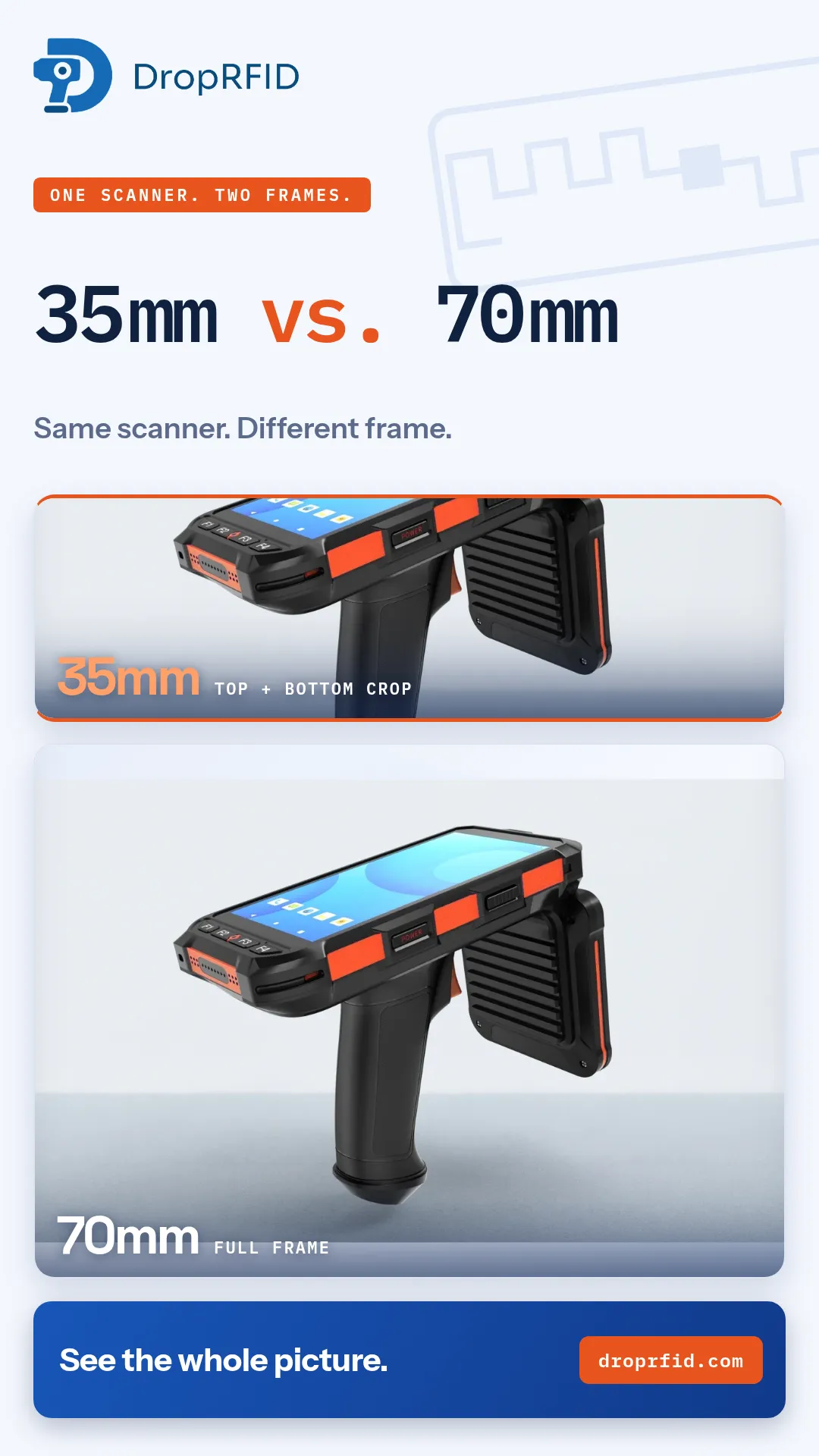
The same scanner can tell a very different story depending on how much of the scene you show. This small visual study compares a shallow 35mm frame with a wider 70mm frame: one crops the top and bottom, while the other keeps the whole picture visible.
Why framing matters
In an inventory workflow, the reader is only one part of the operator’s view. People also need to understand where the work is happening, which items are included, and what the result means. A tight crop can emphasize a detail, but it can also remove context. A wider view can make the relationship between the scanner, the operator, and the items easier to understand.
The campaign uses the same source image at the same width and changes only the crop. That makes the comparison intentionally simple: it is about framing, not a claim that one lens or one configuration improves RFID performance.
A useful visual rule for RFID content
Show the detail when the detail is the point. Show the wider context when the viewer needs to understand a workflow. For example, a close view can help explain a tag-to-SKU mapping moment, while a wider view can show how a scan session fits into receiving, counting, or order verification.
The distinction also matters when reviewing marketing footage. A crop should not imply a longer read range, a different scanner, or a measured result that the source does not establish. Clear labels such as “35mm — top + bottom crop” and “70mm — full frame” keep the visual experiment honest.
Keep the claim grounded
This is an illustrative framing comparison, not a hardware benchmark. RFID read performance depends on the tag, material, placement, reader settings, interference, and environment. A camera crop cannot prove read distance, tag rate, accuracy, or a particular operational outcome.
For teams building an RFID workflow, the practical takeaway is straightforward: choose the frame that helps people understand the work. Then validate the actual scanner behavior in the intended environment with the intended tags and configuration.
See the whole picture at DropRFID.com.
For a team preparing a training clip or internal review, this distinction is worth making explicit in the caption. Viewers should know whether they are seeing a different physical setup, a different camera composition, or a different software state. Clear labeling protects the meaning of the image and makes later comparisons easier. The same principle applies to screenshots: preserve the surrounding context when it affects interpretation, and crop only when the crop is the subject of the lesson. For a team preparing a training clip or internal review, label whether the visual shows a different setup, camera composition, or software state. That care keeps a clean frame from becoming an accidental performance claim.